The Complete Guide to Software Development Services (2026 Edition)
Most guides on software development services throw around jargon without ever explaining the differences. This one does. We cover what actually matters in 2026, real pricing, contract traps, and the mistakes that cost companies millions.
Software development services are professional engagements where a team of engineers, designers, and product specialists build, test, deploy, and maintain custom software tailored to a business’s specific needs, as opposed to buying off-the-shelf tools or hiring permanent staff.
That one sentence sounds simple enough to be said. But the moment you start talking to vendors, reading agency websites, or even Googling the topic, things get boggy fast. “Software development services,” “software consulting,” “managed development teams,” “staff augmentation,” “SDaaS”; the terms pile up, and most guides either ignore the differences or put them into the same category. This one won’t.
We’re going to break down exactly what software development services are in 2026, including how AI coding agents have fundamentally changed the category, then cover the full taxonomy of service types, walk through a realistic development lifecycle, explain how to evaluate and hire vendors without getting burned, and share what the top guides almost universally skip: pricing reality, contract traps, security obligations, and the case studies of projects that went spectacularly wrong.
By the end of this guide, you will surely know enough to make a confident buying decision, write a tight RFP, and avoid repeating the mistakes that usually cost companies millions.
Foundations - What Software Development Services Actually Are in 2026 #
What Are Software Development Services? (And What They’re Not) #
Let’s be precise. Software development services are engagements where an external team (or embedded external individuals) takes responsibility for some or all of the process of designing, building, testing, deploying, and maintaining software. The client owns the outcome, usually the source code, the IP, and the deployed product. The vendor provides the skill, the process, and the people.
Here's the 2x2 that almost nobody draws clearly:
| You own the IP | Vendor owns the IP | |
|---|---|---|
| Custom-built | Software Development Services ✓ | Work-for-hire with bad contract |
| Pre-built product | SaaS with source access (rare) | Standard SaaS / COTS |
If you’re buying a Salesforce license, that’s not software development services; that’s a SaaS subscription. If you’re hiring a team to build a custom CRM on top of Salesforce, that is. The distinction matters because your rights, obligations, and risks are completely different in each case.
Services vs. Products vs. Tools vs. Staff #
There’s another dimension worth separating out:
- Software Products: A vendor builds and sells the same product to multiple customers. You get a license, not custom code
- Software Tools: Developer tools, cloud platforms, databases; you use them to build your own stuff.
- Staff Augmentation: You hire contractors who sit on your team, work under your direction, and follow your process. You’re essentially renting headcount.
- Software Development Services: A vendor takes a deliverable-based or outcome-based responsibility for a piece of software. They bring their own process, methodology, and tooling.
Hybrid arrangements exist and are increasingly common, especially in 2026, where a vendor might have their own AI-assisted delivery pipeline that produces 3x the output of a traditional team, while charging on a per-outcome or per-feature basis.
Who buys software development services? #
The buyer profile looks really different depending on the company stage:
- Startups mostly need a full product team for 3-9 months to build an MVP, then either they hire in-house or continue with the vendor. Budget sensitivity is high; access to speed and expertise are the main reasons to outsource.
- SMBs often engage development firms for specific projects, as an internal tool, a customer portal, a workflow automation, where the IT team doesn’t have the bandwidth or the skills.
- Mid-market companies typically run a mix: internal engineers for core IP, vendors for specialist work (AI/ML, mobile app development, legacy modernization, DevOps).
- Enterprises engage large system integrators for transformation programs that are complex, and niche boutique firms for specific innovation projects. The governance & compliance requirements are substantial.
What’s typically in scope (and what’s not) #
Software development services usually include: requirements engineering, UX/UI design, application development, testing and QA, deployment automation, and some period of post-launch support.
What’s typically not included (though sometimes it is delivered by adjacent teams): cybersecurity assessments, infrastructure management, data science research, cloud cost optimization, product marketing & user acquisition. It is crucial to clarify this boundary upfront to save expensive conversations at invoice time.
The 2026 rewrite: AI coding agents change the category #
Here’s what most guides that were written before 2025 get wrong. The old mental model was: you hire a team, they write code manually, and velocity is proportional to headcount. That model is increasingly outdated.
In 2026, a well-run software development firm embeds AI coding agents; tools like Claude Code, Cursor, GitHub Copilot, Windsurf, and increasingly autonomous agents like Devin, across the development lifecycle. A senior engineer paired with AI tooling can produce anywhere from 2x to 5x the output of the same engineer working without it, depending on the task type.
This changes the category in three important ways:
- 1 Headcount is no longer the primary proxy for velocity. A team of 3 with strong AI tooling can easily out-ship a team of 10 without it.
- 2 New risk types have come into existence. AI-generated code can contain hallucinated API calls, subtle security vulnerabilities, and licensing issues from training data. You now need to ask vendors about their human review gates, not just their staffing plan.
- 3 Pricing models are evolving. Some vendors now offer outcome-based pricing, that is, fixed price per feature, per ticket, per shipped deliverable, rather than hourly or headcount-based billing. This is still early in 2026, but it is the direction that the market is heading.
If a vendor you’re evaluating doesn’t mention AI tooling at all, that’s not necessarily a red flag; it depends on the project. But if they can’t explain how they think about AI-assisted quality review, that’s a gap worth probing.
The Canonical 14 Types of Software Development Services #
Most guides lie somewhere between 4 and 12 types of software development services, along with inconsistent naming & overlapping definitions. Here is a unified taxonomy of 14 types, with inclusion criteria, typical budget ranges, and standard team composition.
- 1 Custom Application Development Building bespoke software from scratch, typically when no off-the-shelf product fits the workflow, the data model, or the integration landscape closely enough. This is the broadest category.
Typical budget: $80K–$2M+, depending on complexity Typical team: 1 PM, 1–2 architects, 2–6 engineers, 1 QA, 1 designer Example deliverables: Custom CRM, internal operations platform, customer-facing workflow tool.
- 1 Web Application Development Browser-based applications, from marketing-adjacent product pages with back-end logic to full SaaS products. Commonly split between front-end (React, Vue, Angular) & back-end (Node, Python, Java, .NET) work.
Typical budget: $50K–$500K Typical team: Full-stack or split front/back teams; 2–5 engineers per side on larger builds Example deliverables: Admin dashboards, B2B SaaS products, client portals
- 1 Mobile App Development Native iOS (Swift), native Android (Kotlin), or cross-platform (Flutter, React Native, Kotlin Multiplatform). Mobile projects add films that web projects potentially lack: App Store/Play Store submission & review, OS upgrade maintenance, device fragmentation, and on-device AI.
Typical budget: $80K–$600K Typical team: 1-2 mobile engineers per platform, shared backend team, dedicated QA Example deliverables: Consumer apps, field-worker tools, companion apps for hardware products.
- 1 Cloud & SaaS Product Development Building a multi-tenant, subscription-delivered software product designed to be sold to multiple customers. Includes infrastructure-as-code, multi-tenancy architecture, billing integration, and SLA management.
Typical budget: $150K–$1.5M for initial product; ongoing costs are significant Typical team: Platform engineer, 2–4 application engineers, DevOps engineer, PM Example deliverables: SaaS MVP, white-label platform, API-first product.
- 1 Enterprise Software Development Large-scale internal systems, which include ERP extensions, custom supply chain tools, HR platforms, and financial systems. It usually has deep integration with existing enterprise architecture, complex security & compliance requirements, and multi-year maintenance horizons.
Typical budget: $500K–$10M+ Typical team: Solution architect, business analyst, 5–15+ engineers, integration specialist, change management Example deliverables: Custom ERP module, enterprise workflow platform, operational data hub.
- 1 API & Integration Development Building the connective tissue between systems; REST or GraphQL APIs, event-driven integrations, iPaaS connectors, legacy-to-modern bridges. It is often underestimated as a standalone engagement type.
Typical budget: $30K–$300K Typical team: 1–2 integration engineers, solution architect for complex scenarios Example deliverables: Partner API, webhook infrastructure, Salesforce/ERP integration layer.
- 1 DevOps & Platform Engineeri8ng Setting up & running the engineering base: CI/CD pipelines, container orchestration (Kubernetes), infrastructure-as-code (Terraform), internal developer platforms, and observability. It is mostly treated as adjacent to development services, but deserves its own category.
Typical budget: $40K–$250K for setup; ongoing retainer for managed services Typical team: 1–2 DevOps/platform engineers, cloud architect Example deliverables: Full CI/CD pipeline, IDP (Internal Developer Platform), multi-environment deployment setup.
- 1 QA & Testing Services Dedicated quality engineering; manual and automated. End-to-end test suites, performance testing, security testing, accessibility auditing. Can be a standalone engagement or embedded within a development project.
Typical budget: $20K–$150K; or 15–25% of development budget as an embedded function Typical team: 1–3 QA engineers, automation specialist Example deliverables: Automated regression suite, load test results, accessibility audit report.
- 1 AI/ML Development Services Building machine learning models, NLP features, recommendation engines, AI-powered automation, and increasingly, LLM integrations and agentic systems. This category grew enormously between 2023 and 2026.
Typical budget: $60K–$800K Typical team: ML engineer, data scientist, MLOps engineer, integration engineer Example deliverables: Custom LLM integration, predictive model, AI-powered feature layer.
- 1 Data Engineering & Analytics Building the pipelines, warehouses, and visualisation layers that let a business actually use its data. Often a prerequisite before AI/ML development is viable.
Typical budget: $50K–$400K Typical team: Data engineer, analytics engineer, BI developer Example deliverables: Modern data stack (dbt + Snowflake), real-time data pipeline, analytics dashboard.
- 1 Embedded & IoT Development Software for hardware; firmware for devices, IoT platform connectivity, real-time operating systems. Niche buthigh-value for manufacturing, med-tech, automotive, and consumer hardware companies.
Typical budget: $100K–$1M+ Typical team: Embedded engineer (C/C++/Rust), IoT architect, hardware-aware QA Example deliverables: Device firmware, IoT data ingestion platform, edge computing integration.
- 1 Legacy Modernisation Migrating or re-platforming aging systems, that is, mainframe to cloud, monolith to microservices, on-prem to SaaS. High complexity, high risk, high cost of getting wrong.
Typical budget: $200K–$5M Typical team: Solution architect, migration engineer, business analyst, change management Example deliverables: Cloud-migrated application, modernized codebase, API-enabled legacy system.
- 1 Platform Engineering (New in 2026) Distinct from DevOps, platform engineering is about building the internal infrastructure that other engineering teams use, such as developer portals, golden paths, shared service libraries, internal APIs. Driven by organizations that are scaling beyond 30–50 engineers.
Typical budget: $100K–$500K Typical team: Senior platform engineers (2–4), developer experience lead Example deliverables: Internal Developer Platform, service catalogue, self-service deployment tooling.
- 1 Maintenance & Support Retainers Ongoing agreements to keep existing software in motion, secure, and evolving. It is usually undervalued at procurement time & overcharged at renewal time.
Typical budget: 15–25% of original build cost per year Typical team: 1–2 engineers on retainer, QA, DevOps support Example deliverables: Monthly bug fix releases, security patches, dependency upgrades, performance monitoring.
A decision helper #
Before moving towards evaluating vendors, make sure to identify which service type(s) you actually need. Common misclassifications that follow:
- “We need custom software” → might in need of a SaaS integration or low-code build (see Build vs. Buy section)
- “We need a mobile app” → might need a web app that is responsive or PWA • “We need AI” → might need data engineering before any AI is viable
- “We need a data dashboard.” → might need data engineering before any dashboarding is meaningful
When you get this diagnosis right, you will certainly be talking to the right vendors from the beginning.
The Real 9-Stage SDLC (Including What Most Guides Skip) #
Every software development guide covers the basic lifecycle: requirements → design → development → testing → deployment → maintenance. It’s accurate in the way that “plan → execute → review” describes a project — technically correct, practically useless.
Here’s the complete lifecycle with the two ends most guides omit: what happens before a project kicks off, and what happens after it’s been in production long enough to need retiring or replacing.
Stage 1: Pre-Engagement Discovery (Day −14 to 0) #
This stage exists even before a contract is signed, and surprisingly few companies operate it well. Pre-engagement discovery includes: scoping the problem (not only the solution), issuing an RFP, shortlisting vendors, running a technical screening, and sometimes commissioning a short paid discovery sprint before committing to a full engagement.
Skip this stage, and you’ll typically end up with a scope statement written by a salesperson, not an engineer. The cost of a £10K discovery sprint to validate feasibility is trivial compared to the cost of 6 months of misdirected build.
Deliverables: Problem statement, draft scope, shortlisted vendors, evaluation criteria
Stage 2: PoC / Technical Spike (Day 0–14) #
Before committing to a full build, it is worth de-risking the technical questions that are the hardest. Can the proposed architecture actually handle the required throughput? Does the third-party API that you’re depending on actually work the way the documentation claims? Can the real-time sync mechanism that you have designed survive a 10,000-user concurrent session?
A spike is a short, time-boxed experiment, typically 1–2 weeks, that answers the highest-risk technical question before you’ve committed budget to a full build. It’s not about building a demo. It’s about killing bad assumptions early.
Deliverables: Technical feasibility report, architecture decision record (ADR), risk register
Stage 3: Requirements & Design (Day 14–42) #
User stories, wireframes, UX research, system architecture, API design, data model, and infrastructure plan. This stage is where ambiguity gets heavy on the pocket if it is not resolved fully.
The best teams run this stage in rigid collaboration with the client, running user research sessions, writing detailed acceptance criteria & producing architecture decision records that document not just what was decided but why.
Deliverables: Product requirements document, UX/UI wireframes and prototypes, system architecture doc, data model, ADRs
Stage 4: Implementation (Day 42–120+) #
The actual build, typically running in 1–2week sprints with regular demos. The scope should be locked or change-controlled at this point; scope creep in implementation is the single biggest driver of cost overruns.
A good vendor will display working software in the first sprint, not just the reports and Jira tickets. If you are three weeks into a build and haven’t seen a deployed, testable increment, make sure to ask why.
Deliverables: Sprint releases, updated risk log, weekly status reports
Stage 5: Testing & QA (Parallel) #
Good QA isn’t a phase that happens after development finishes, instead, it runs in parallel. Unit tests are written by developers. Integration tests are maintained by QA engineers. End-to-end tests automate the critical user journeys. Performance, security, and accessibility tests run on a scheduled cadence.
The cost of finding a bug in production is approximately 15 times the cost of finding it in development. QA is not exactly where you save money.
Deliverables: Test plans, automated test suite, bug reports, regression baseline
Stage 6: Deployment & Launch (Day 120+) #
Infrastructure-as-code, staging environments, CI/CD pipelines, deployment runbooks, rollback plans, canary or blue-green deployment strategies. It is better for a production deployment to be boring & reversible, instead of being stressful & irreversible.
Never allow a “big bang” deployment as the first production release. Any vendor that proposes one either lacks deployment maturity or hasn’t thought carefully about risk.
Deliverables: Deployed application, deployment runbook, rollback plan, monitoring setup
Stage 7: Operate & Evolve #
Post-launch is when the real product work begins. Incident response, capacity planning, feature iteration based on usage data, and performance optimisation. The engineering team’s job doesn’t end at launch; it changes.
Deliverables: SLO reports, incident post-mortems, product analytics review, and roadmap updates
Stage 8: Retire / Migrate #
Every system reaches an end, which can sometimes be planned & smooth, and sometimes be forced by technical debt accumulation or vendor end-of-support. A well-structured engagement properly run on an agreed retirement path, step by step from the beginning: documented architecture, reproducible build processes & no vendor lock-in on proprietary tooling.
Deliverables: Documentation freeze, data archive plan, migration runbook, vendor transition support
Choosing and Buying: Commercials, Contracts, Risk #
Engagement Models: Which One is Suitable for You? #
There are four main commercial structures suitable for engaging a software development firm, and choosing the wrong one is surprisingly very common. Here’s how to think about each of them:
Fixed-Price / Project-Based You make a consensus on a scope, a price, and a timeline upfront. The vendor delivers the scope you agreed on, and then you pay the agreed price. This sounds pretty neat. In practice, it only works best when the scope is genuinely well-cited.
Best for: Well-defined projects that have stable requirements & very less dependency on external systems. A marketing site redesign. A specific integration with a known API. A well-scoped mobile app with locked requirements.
Watch out for: Scope creep disguised as “clarifications,” change order abuse, and the perverse incentive it creates for vendors to under-scope the initial bid and recover margin on change orders.
Dedicated Team / Product Squad You engage a full cross-functional team of engineers, QA, PM, designer on an ongoing retainer basis. They work exclusively on your product, you direct the work, and the relationship is essentially a long-term partnership.
Best for: Products where requirements are evolving, where you need sustained velocity, and where you want a team that accumulates deep context about your codebase and business over time.
Watch out for: “Dedicated” teams that aren’t actually dedicated; check non-exclusive clauses in the MSA.
Staff Augmentation Individual contractors who join in your existing team, and work under your technical leadership, and use your processes. You provide direction, and in return, they provide skill.
Best for: Filling specific skill gaps (you need a Flutter developer for 6 months and don’t have one), temporary capacity during a crunch, or evaluating a senior hire before committing to a full-time offer.
Watch out for: Worker classification risk (in many jurisdictions, long-term augmented staff can be reclassified as employees), knowledge concentration in contractors who will leave eventually, and the management overhead of directing external people.
Software Development as a Service (SDaaS) An emerging model in which the vendor functions as a subscription service by handing over a fixed cadence of output (tickets per sprint, features per month) for a fixed monthly fee. It is partly driven by AI-enabled productivity gains, which make per-outcome pricing viable.
Best for: Organisations that want predictable cost and don’t want to manage headcount, particularly for steady-state product development rather than large initial builds.
Watch out for: Defining “output” clearly; a poorly defined SDaaS contract can become an expensive argument about what counts as a deliverable.
Outcome-based pricing (2026 trend) A small but growing number of vendors are beginning to price on outcomes, that is, per shipped feature, per resolved ticket, per user story completed to acceptance. This model is enabled by AI-assisted development tools that allow vendors to make credible productivity commitments. It’s worth asking vendors about this model even if they don’t lead with it.
Pricing & Cost: The Real 2026 Numbers #
Most pricing guides in this volume usually revolve around being obsolete or deliberately vague. Here are honest ranges for 2026, by region & role:
Hourly rate benchmarks by region (2026) #
| Role | US | W. Europe | E. Europe | India | SEA | LATAM |
|---|---|---|---|---|---|---|
| Junior Developer | $80–120 | $60–95 | $25–45 | $15–30 | $18–35 | $20–40 |
| Senior Developer | $140–200 | $100–160 | $45–80 | $30–60 | $35–65 | $40–75 |
| Solution Architect | $180–280 | $150–220 | $70–110 | $50–85 | $55–90 | $60–100 |
| QA Engineer | $70–110 | $55–85 | $20–40 | $12–25 | $15–30 | $18–35 |
| Project Manager | $90–140 | $75–120 | $35–60 | $20–40 | $25–45 | $28–55 |
| UX/UI Designer | $80–130 | $70–110 | $30–55 | $18–35 | $22–40 | $25–50 |
Note: These are vendor billing rates, not salaries of individuals. Agency overhead, project management, tooling, and margin are included in it.
Sample project budgets (2026) #
- MVP SaaS product (web, auth, core feature set, basic integrations): $60K–$120K
- Internal operations tool (medium complexity, integrations, admin panel): $25K–$60K
- Mobile app (iOS + Android, auth, core features, API): $80K–$250K
- Enterprise integration programme (multiple systems, complex data mapping, compliance): $200K–$800K
- Legacy modernisation (major re-platform, phased migration): $400K–$3M+
The hidden cost checklist Every software development firm arrives and emerges with costs that are not usually focused on in the initial quote. Budget for these is:
• Knowledge transfer (10–15% of total engagement cost): The time that it takes to onboard a new vendor on your existing systems and processes.
- DevOps setup (5–10%): CI/CD pipelines, cloud infrastructure, environment setup.
- Security audit (3–5%): Penetration testing, code review, compliance review.
- Contract & legal review (1–2%): MSA review, IP clause negotiation, and data processing agreements.
- Buffer for scope evolution (10–20%): Even well-scoped projects evolve in no time. Focus on a clear, unambiguous budget rather than disputing change orders.
How AI coding agents change the cost equation #
In 2026, a team using AI coding agents can deliver significantly more output per billing hour, compared to a team without it. This induces a pricing tension, that the vendor benefits from productivity gains, but so can you, if you are negotiating on output rather than hours.
When evaluating vendors who use AI tooling, inquire about their human review process. AI-generated code that ships without adequate review makes room for security & quality risks that can be expensive to fix later. The velocity gain is real; so is the risk if it isn’t managed.
How to Choose a Software Development Partner? A 30-Criterion Scorecard #
Most evaluation frameworks for software vendors read more like a checklist from 2012: “have a look at their portfolio, check reviews, inquire about communication.” That is only a starting point, not a methodology.
Here’s a proper evaluation framework across six weighted dimensions:
Technical Capability (25% of score) #
• Can they be vocal about their architecture trade-offs, besides a list of technologies?
• Ask to pair-program for an hour with the proposed technical lead before signing. This single test will surely uncover far more than a 10-page proposal.
• Do they write tests? Ask for a recent code sample and check for test coverage.
• Do they have CI/CD in place on their own projects?
• How do they handle technical debt? Ask for an example of when they pushed back on a client request for technical reasons.
• Do they have clear practices around AI-assisted development and human code review?
Delivery Capability (20% of score) • Ask for a post-mortem from a project that went wrong. Every serious vendor has at least one, and their willingness to share it tells you a lot. • How do they handle scope changes? Ask to see a recent change request process. • What does their sprint demo process look like? • Do they use working software in demos, or slides?
Commercial Clarity (20% of score) • Is the rate card clear? No “starting from” language. • Are the IP assignment clauses explicit and clean? • Is there a termination-for-convenience clause that doesn’t require 6 months’ notice? • What happens at the end of the engagement, is there a knowledge transfer obligation built in?
Portfolio Quality (15% of score) • Make sure to ask to see the source code from a past project, even briefly. If they refuse entirely, then ask why. • Ask about team tenure on the projects they show you. A portfolio of projects built by people who no longer work there is a weaker signal than you’d think. • Are the “case studies” on their website real? Ask for a reference call with the actual client.
Cultural Fit (15% of score) • Do they ask good questions about your business, or just your tech stack? • Are they comfortable disagreeing with you in the sales process? Vendors who only say yes in the sales process will only say yes in the delivery process too. • How do they handle asynchronous communication? Ask to see a real Slack thread or async update from a live project.
Risk & References (5% of score) • Call references. Don’t accept written testimonials. Ask references specifically: “What went wrong, and how did they handle it?” • Ask about insurance (professional indemnity, cyber). • Review and reanalyze contract language on liability caps; 1x fees are too low in general for enterprise-scale risk.
12 red flags to watch for
- 1 Senior rates quoted, junior engineers assigned once the contract is signed
- 2 Non-exclusive “dedicated team” clauses, that is, your team is also someone else’s team
- 3 Vague timeline commitments (“we’ll have a better sense once we start”)
- 4 No CI/CD in their standard process
- 5 “We’ll figure it out in sprint 2” responses to architecture questions
- 6 Ballooning scope emails that arrive after the contract is signed
- 7 Difficulty producing a working demo in the sales process
- 8 No post-mortems available; they claim every project was perfect
- 9 IP clauses that are unclear on background IP, future IP, or international applicability
- 10 No willingness to provide direct client references
- 11 Over-reliance on a single technical lead who would be a key-person risk
- 12 Proposals that restate your RFP without adding any technical perspective
Section 7: Contracts, IP Ownership & Legal Clauses You Must Negotiate
This is the section that most guides skip entirely and most buyers regret not reading. Software development contracts are where a lot of value (and risk) lives. Here’s what to pay attention to:
Work-for-hire vs. IP assignment
In the US, “work-for-hire” doctrine means that work created by an employee in the area of employment belongs to the employer. It also applies to certain commissioned works, but the rules around independent contractors and international vendors are not straightforward.
If your vendor is based in India, Eastern Europe, or anywhere outside your jurisdiction, a US work-for-hire clause may not be enforceable. You need an explicit IP assignment clause that assigns all rights; present and future, including moral rights where applicable, to you upon delivery and payment.
A clean IP assignment clause covers:
• Code written during the engagement • Inventions that are conceived in the course of the work • Background IP carve-outs (the vendor’s pre-existing tools and frameworks they bring to the project) • Confirmation that they have the right to assign (i.e., the engineers actually working on your project are under NDA and IP assignment with the vendor too)
Source code escrow
If you’re building a business-critical system with a small vendor and you’re concerned about what happens if that vendor goes under, source code escrow is worth considering. Services like Iron Mountain and PRAXIS hold a copy of the source code and release it to you under defined conditions (vendor insolvency, failure to maintain, etc.).
It’s not standard practice for all engagements, but for large or operationally critical projects, it’s worth the relatively modest cost.
Termination-for-convenience
You want the right to terminate the engagement without cause, on reasonable notice (typically 30–90 days), without paying a large penalty. Many vendor MSAs don’t include this by default, or include notice periods so long they’re essentially lock-ins.
Pair this with a transition assistance obligation, that is, the vendor should be contractually required to assist a handover period, document the codebase & not hold knowledge hostage.
Liability caps Standard vendor MSAs often cap liability at the total fees paid in the last 3–12 months. For a large-scale enterprise project, this can mean that a $5M engagement has a $200K liability cap. Negotiate this upfront, and consider separate coverage for data breaches, IP infringement, and willful misconduct.
Data Processing Agreements If your software handles personal data of EU residents (and most modern software does, at least incidentally), you need a Data Processing Agreement (DPA) in place with your vendor. GDPR requires it. CCPA has similar requirements. Your vendor’s standard MSA may include a DPA addendum; check that it’s current, not a 2018 template.
Section 8: Security, Compliance & Data Protection in Engagements
Software development vendors know how to handle your codebase, your infrastructure credentials, your test data (which often contains real user data), and sometimes your production access. The security obligations cross both ways.
What to demand from your vendor
• SOC 2 Type II: Not Type I (which is a point-in-time assessment), but Type II, which covers a period of time and is a much more meaningful signal. Ask to read the full report, not just the attestation letter, but also, the exceptions noted in the report matter. • ISO 27001: Common for larger vendors, especially those who are serving enterprise clients in regulated industries. • Penetration testing: Ask when they last had a penetration test done on their own infrastructure, and whether they can provide the report under NDA.
Compliance considerations by industry
For healthcare (HIPAA): any vendor handling PHI (Protected Health Information), even test data, must sign a Business Associate Agreement (BAA). Verify their sub-processor chain: every tool they use to process your data must also be HIPAA-compliant.
For fintech (PCI-DSS): make sure to understand the cardholder data environment scope upfront. Reducing PCI scope through tokenization and the right integration architecture can dramatically reduce compliance overhead.
For GDPR: your vendor is a data processor. The DPA is obliged to highlight the purposes of processing, categories of data, security measures & sub-processor obligations.
AI-specific security considerations
In 2026, a new category of security risk has come into existence alongside AI-assisted development:
• Training data contamination: Some AI coding tools may have been trained on code that includes proprietary or licensed material. • AI-generated security vulnerabilities: LLMs can produce plausible-looking code that contains subtle bugs or security issues. Ask vendors about their human review gates for AI-generated code. • Prompt injection in AI-powered features: If your product includes LLM-powered features, make sure that the vendor has tested for prompt injection, data leakage through model context, and adversarial inputs.
Part 3: The 2026 Edge: AI-Native Services, Metrics & Failure Lessons
Section 9: AI-Native Software Development Services in 2026
The category of “AI in software development” has moved well past the hype stage. Tools like Claude Code, Cursor, Windsurf, GitHub Copilot, and more autonomous agents like Devin are now embedded into the delivery process at serious development firms. Here’s what this actually means for a buyer:
Velocity changes are real, but not uniform
AI coding tools produce the largest velocity gains on:
• Boilerplate-heavy code (scaffolding, CRUD operations, test generation) • Documentation and code explanation • Refactoring and code review • Bug diagnosis and triage
They execute minor gains on:
• Novel architecture decisions • Complex debugging in unfamiliar codebases • Security-sensitive code that is in need of careful human reasoning • Highly context-dependent product decisions
A vendor claiming “5x faster development” across the board is overstating and exaggerating it. A vendor who can quantify where they see gains and where they don’t is being honest.
New deliverables to ask for
In AI-assisted development workflows, some new artifacts have emerged:
• AGENTS.md files: Documentation that tells AI agents how to navigate the codebase; conventions, patterns, what not to touch. A serious AI-assisted team should have these. • Spec-first development: Writing detailed specifications that AI agents can use as grounding for code generation, rather than ad-hoc prompting. • AI-edit ratio auditing: The proportion of code that was AI-generated vs. human-written, and the human-review coverage over AI-generated code. You can ask for this metric.
New risks to understand
• Hallucinated APIs: AI tools sometimes generate calls to functions or endpoints that don’t actually exist. Human code review & comprehensive integration testing catch these, but only if they’re in place. • License contamination: Code that is generated by AI tools trained on open-source code may carry licensing implications. Ask vendors about their policy on this. • Security gaps in AI-generated code: Several studies in 2024–25 found that LLM-generated code produces security vulnerabilities at higher rates than experienced human developers working without AI assistance. Good review processes mitigate this; poor ones don’t.
Outcome-based pricing
The shift to AI-assisted development has made it economically viable for some vendors to offer per-outcome pricing, that is, a fixed price per shipped feature, per user story, or per resolved ticket. This model transfers delivery risk to the vendor, which is far better for buyers when requirements are stable & acceptance criteria are clear.
Not all vendors offer this, and it’s not always the right structure, but it’s worth asking about in 2026, particularly for defined project work with clear deliverables.
Section 10: ROI, Business Case & CFO One-Pager
The question every executive team will eventually ask is some version of: “Why are we spending this money instead of buying something off the shelf?” Here’s how to build an honest answer.
The cost of doing nothing
Before calculating the ROI of building, calculate the cost of not building: • What operational cost is the current solution (manual process, spreadsheet, legacy system) incurring per month? • What competitive position are you giving up by not having this capability? • What technical debt is accumulating in the workaround?
Many business cases fail not because the build numbers don’t work, but because the “do nothing” baseline was never costed.
A simple ROI framework
Inputs:
• Cost of build (from vendor quote + hidden cost buffer) • Annual operational savings from automation or efficiency gain • Revenue uplift that is attributable to the new capability (conservative estimate) • Annual maintenance cost (15–25% of build)
Outputs:
• Payback period: Build cost ÷ (Annual savings + Revenue uplift − Annual maintenance) • 3-year NPV: Net present value of savings and revenue, discounted at your cost of capital, net of build and maintenance costs • IRR: Internal rate of return over the 3-year horizon
Example 1: Internal HR tool: $180K build, $220K per year in operational savings from reducing manual processes and outsourced services. Payback: 9.8 months. 3-year NPV: positive even with conservative adoption assumptions.
Example 2: Customer portal: $450K build, projected 12% improvement in customer retention for a segment that is generating $3.5M ARR. Even at 50% of projected retention lift, the 3-year NPV is strongly positive.
What boards actually prefer to see
The CFO one-pager format that gets approved usually:
- 1 The problem (one sentence)
- 2 The proposed solution (one sentence)
- 3 Cost: build + Year 1 maintenance + risk buffer
- 4 Benefit: the metric that moves & by how much
- 5 Payback period (in months)
- 6 What we’re not doing if we don’t approve this
That’s it. The 40-slide deck with 12 architectural diagrams is for the technical due diligence meeting, not the board. Lead with the business case.
Section 11: Build vs. Buy vs. Low-Code: The Decision That Saves or Wastes Millions
Custom software development is not always the right answer. Running through this framework honestly before engaging a vendor will save you significant money and time.
The 12-factor decision matrix
Rate each factor 1–5 and compare weighted totals across Custom Build, SaaS, and Low-Code:
| Factor | Weight | Custom Build | SaaS | Low-Code |
|---|---|---|---|---|
| Competitive differentiation (does owning this IP matter?) | 20% | Evaluate | Evaluate | Evaluate |
| Workflow fit (how closely does existing software fit?) | 15% | |||
| Data sensitivity (do you need full control?) | 15% | |||
| Scale requirements | 10% | |||
| Team skills to operate | 10% | |||
| 3-year total cost of ownership | 15% | |||
| Vendor lock-in tolerance | 10% | |||
| Time to first value | 5% |
The cost crossover chart
SaaS and low-code solutions typically have a low upfront cost but an accumulating annual cost. Custom builds have a high upfront cost but lower marginal cost at scale. The crossover typically happens around Year 2 to 3.
If your planning horizon is under 18 months, SaaS or low-code almost always wins on cost. If your planning horizon is 3 to 5 years & the workflow is genuinely unique to your business, custom often wins.
Where low-code burns out
Tools like Retool, Bubble, Zapier, and Airtable are excellent right up til the time they are not. Common failure patterns are:
• Retool is pretty good for internal tools for up to about 200 users; beyond that, performance & customization limits become real. • Bubble works amazingly for straightforward workflows; complex data models & real-time features expose its limitations. • No-code tools often create proprietary data and logic structures that are expensive to migrate from.
Real pattern: Company X chose Retool for an internal operations tool, saved $200K in Year 1 in comparison to a custom build. Hit Retool’s performance ceiling in Year 2, faced a painful & expensive migration to custom infrastructure that cost far more than the original build would have.
Hybrid patterns that are worthy of consideration
Some of the best architectures in 2026 are a mix of approaches:
• Low-code frontend (Retool/Appsmith for internal tools) + custom backend with proper data models • SaaS core (Salesforce, HubSpot) + custom integration layer for unique workflows • Open-source base (Metabase for BI, n8n for workflow automation) + customisation layer for specific requirements
Part 4: Delivery Excellence — Metrics, Onboarding & Failure Lessons
Section 12: Regulated-Industry Services
If your project runs in a regulated industry, budget significantly more time and money than a comparable unregulated project. Compliance isn’t a feature, rather it’s infrastructure that runs through every layer of the engagement.
Healthcare (HIPAA + FDA SaMD)
Expect 25–40% budget overhead and 60+ days additional timeline for HIPAA compliance on any software that controls protected health information. If your software is entitled as a Software as a Medical Device (SaMD) under FDA guidance, add FDA 510(k) or De Novo pathway planning, which is a multi-year regulatory process.
Key requirements: Business Associate Agreements with all vendors, audit logging, access controls, encryption at rest & in transit, and workforce training documentation.
Fintech (PCI-DSS + SOX + PSD2)
PCI-DSS scope reduction is taken as one of the highest-value architecture decisions in fintech. Using tokenisation and vaulted payment providers (Stripe, Adyen, Braintree) to keep cardholder data entirely outside your environment reduces compliance scope and cost dramatically.
SOX compliance (for public companies) adds audit trail requirements, change management controls, and access review obligations. PSD2 (EU) adds Strong Customer Authentication and open banking API requisites.
GovTech (FedRAMP)
FedRAMP Moderate/High authorization is a 9 to 14-month process that needs a designated Authorizing Official, a Third-Party Assessment Organization (3PAO), and a fully documented security package. Budget $1–3M for the authorization process alone, in isolation from the software build.
Automotive (ISO 26262 + ASPICE)
Safety-critical software for automotive applications functions under an entirely different SDLC; one that is driven by functional safety analysis, FMEA, and rigorous documentation requirements that make standard Agile sprints challenging to apply directly. ISO 26262 ASIL levels define the rigor required; ASPICE provides the process framework.
Section 13: Post-Launch Success Metrics: DORA, SLO, and Product KPIs
The best time to agree on success metrics is before the project starts. The worst time is 6 months after launch when there’s a disagreement about whether it’s “working.”
DORA metrics benchmarks (2026)
DORA (DevOps Research and Assessment) metrics are the gold standard for measuring software delivery performance:
| Metric | Elite | High | Medium | Low |
|---|---|---|---|---|
| Deployment Frequency | Multiple/day | Daily–Weekly | Weekly–Monthly | Less than monthly |
| Lead Time for Changes | < 1 hour | 1 day – 1 week | 1 week – 1 month | > 1 month |
| Change Failure Rate | < 5% | 5–10% | 10–15% | > 15% |
| Mean Time to Recovery | < 1 hour | < 1 day | 1 day – 1 week | > 1 week |
If a vendor can’t tell you their DORA metrics for an active engagement, that’s meaningful information. Elite teams know these numbers.
SLO targets to write into contracts
Service Level Objectives should be contractual, not aspirational:
• 99.9% monthly availability = 43 minutes downtime per month • 99.95% monthly availability = 22 minutes downtime per month • 99.99% monthly availability = 4.3 minutes downtime per month
Define what counts as “downtime” (not only the full outage, but degraded performance matters equally), how it is measured, and what the credit structure is if SLOs are being missed.
Product KPIs to plan & set up at launch
• Time to value: How much time does a fresh user take to get done with the core workflow? • Activation rate: What percentage of users can achieve the activation milestone in the first session? • Retention: 30-day, 60-day, 90-day retention cohorts • Support ticket rate: Volume of support tickets per 1,000 active users • NPS: Net Promoter Score tracked quarterly
Engineering health signals
Beyond DORA, healthy engineering teams track:
• PR cycle time: What length of time does it take to shift from PR opened to PR merged? • Review backlog: How many open PRs are awaiting review? • Flaky test ratio: What percentage of CI runs fall short, usually because of flaky tests (not real failures)?
Section 14: Vendor Onboarding, Handover & Exit Playbook
The onboarding period is where vendor engagements are most likely to lose velocity & trust. A plan that is well-structured and organized prevents this.
30/60/90-day onboarding plan
Days 1–14: Access provisioning (codebase, staging environments, CI/CD, documentation), communications setup (Slack channels, meeting cadence, escalation path), introductions to key stakeholders.
Goal: no blocker unresolved after 72 hours.
Days 15–42: First pull request shipped & reviewed. First sprint completed & demoed. Architecture questions surfaced and were answered. Code style and review standards were agreed upon.
Goal: first working increment in staging.
Days 43–90: Velocity at target. Integration with existing teams that are operating flawlessly. Risk register reviewed & updated. Independent velocity; the vendor should be shipping without needing any hand-holding on every story.
Goal: full sprint velocity, measurable output.
Knowledge transfer checklist
Before any engagement reaches its end, these artifacts should be vendor-deliverable obligations in the MSA:
• Architecture documentation (updated, but not from the initial design) • Runbook (how to operate the system in production) • Architecture Decision Records (ADRs) for all significant decisions • On-call schedule & incident playbook • Dependency map (all external services, APIs, and credentials that the system heavily relies on) • CI pipeline is green, tests pass at >70% coverage, so no secrets are committed to the repository
Exit criteria
Clean exit from a vendor engagement requires:
• 90-day parallel operation period in which the incoming team or in-house engineers are able to shadow the outgoing vendor • Reproducible build from documentation alone (the system can be rebuilt from source without any tribal knowledge) • Full infrastructure-as-code, no manually configured resources • Vendor access revoked and audited
Real cautionary tale: A company that paid $180K to exit a vendor engagement because the codebase was undocumented, the deployment process existed only in one engineer’s memory, and the infrastructure had been manually configured over the span of 3 years with no IaC. The cost of the exit exceeded the original build budget.
Section 15: Failure Case Studies: Learning From Real Disasters
No guide on software development services is complete without an honest accounting of what goes wrong. These aren’t cautionary tales about bad developers, instead, they’re examples of systemic failures that happen to smart, well-funded organisations.
HealthCare.gov (2013)
The US federal health insurance exchange launched in October 2013 with 55 contractors working without a single designated systems integrator. In the first week, under 1% of users could complete enrollment. Total remediation cost exceeded $2.1 billion.
The fundamental cause was fragmentation. Multiple vendors built various parts of the system with no unified accountability, end-to-end testing, or an integration owner who could see through all the components in a holistic manner. Each vendor delivered their piece; thus, no one was responsible for the assembled whole.
Lesson: For complex software services engagements that involve tons of vendors or systems, they should designate a prime systems integrator with clear end-to-end accountability. Multi-vendor orchestration without a prime owner is a statistical near-certainty of failure at scale.
UK NHS National Program for IT (2002–2011)
The UK government’s attempt to digitize NHS health records, budgeted at £6.2B and ultimately costing an estimated £12B, was formally cancelled in 2011 after 9 years, with most objectives unmet. Scope creep, centralized top-down mandate, and deep misalignment with local NHS trust workflows were cited in the NAO review.
Contracts were awarded for a national system even before the requirements of individual trusts were properly understood. The outcome software was technically delivered, but it was operationally rejected.
Lesson: Scope lock without any user research is a liability, instead of a protection. Lock scope tightly, pilot regionally, and impose demands on measured adoption gates before a nationwide rollout. A system that is delivered but not used properly is considered to be a failed project regardless of what the acceptance criteria say.
Hertz vs. Accenture (2016–2019)
Hertz engaged Accenture for a website redesign & replatform that was worth $32M. Hertz was prosecuted in 2019, alleging deadlines that were missed deliberately, unfinished deliverables, and code that was so unfit for the purpose. The case finally settled confidentially in 2020.
The dispute was centered on acceptance criteria & milestone sign-off. Agile delivery without explicit, measurable acceptance tests at each milestone results in the conditions for a “working software” argument that neither party can resolve in an objective way.
Lesson: Acceptance criteria must be contractual and objective. “Done” in an Agile context requires explicit & measurable acceptance tests at each and every milestone, rather than just a subjective sign-off or an email that says “looks good.”
Knight Capital Group (August 1, 2012)
A misconfigured deployment at Knight Capital activated a retired code path from 2003, and generated $460 million in losses in 45 minutes from runaway trading activity. Knight Capital effectively ceased to exist within days.
The deployment had been rolled out to 7 of 8 servers correctly, but one server was missed. The system ran two conflicting trading logics simultaneously. There was no feature flag, no canary deployment, and no automated verification that all servers were running the same version.
Lesson: Deployment hygiene is a services deliverable. Feature flags, canary rollouts, dead-code detection, deployment verification, and rollback drills are non-negotiable, with no relation to project type. Bake SLOs for deployment safety into contracts.
Part 5: 2026 Market & Trends, FAQ, Resources
Section 16: 2026 Market Data & Trends
The global software services market reached approximately around $830 billion in 2026, with a faster growth of 8–11% year-on-year. Key trends that are remolding the market:
AI coding agent adoption is accelerating more rapidly than most predicted. Gartner’s Q1 2026 survey found 42% of enterprise development teams that are actively making use of AI coding agents, with a projection to 75% by the end of the year. The productivity claims frequently shift from modest (15–25% improvement on routine tasks) to dramatic (3–5x on well-scoped greenfield work). The truth is dependent on the task.
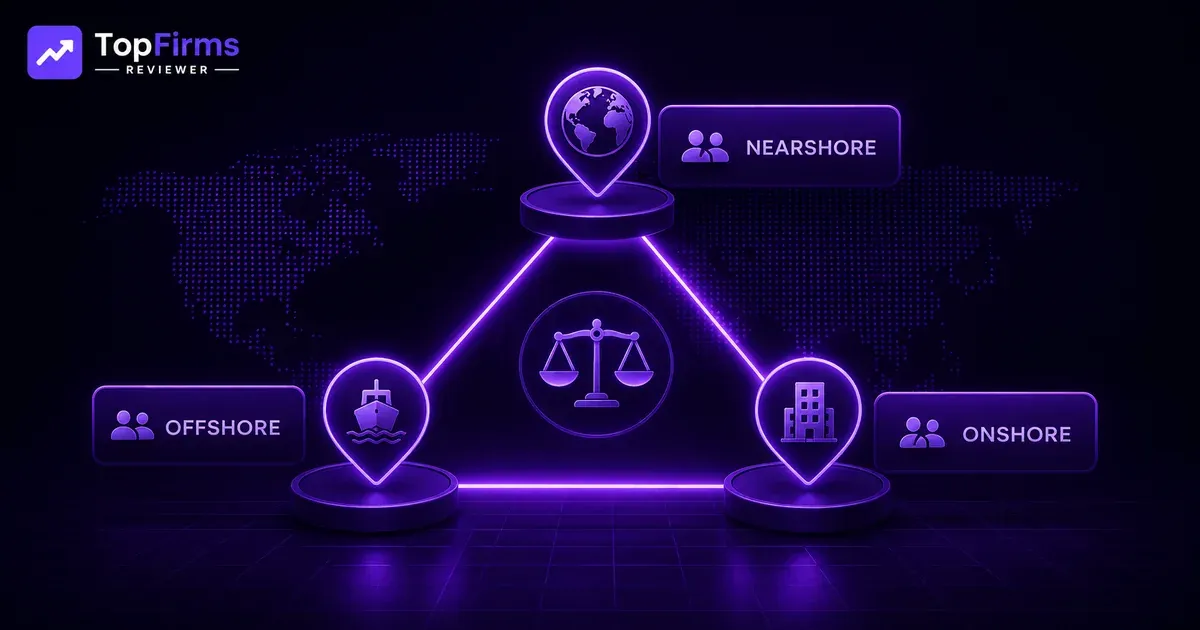
Onshore & nearshore demand is eventually recovering. Following years of cost-driven offshoring, a fusion of post-COVID communication fatigue, geopolitical risk (Ukraine conflict, US-China tensions affecting IP flows), and the rising cost of coordination overhead has driven renewed demand for onshore & nearshore development. Everest Group’s 2026 analysis showcases US bank demand for onshore development up 28% year-on-year.
Outcome-based pricing experiments are underway at scale. Accenture, Capgemini, and several mid-market firms are trialing per-outcome pricing models on a subset of engagements. Early results show mixed outcomes; the model works well when requirements are stable and acceptance criteria are clear, and breaks down when scope is ambiguous.
EU AI Act compliance is creating new demand. The EU AI Act’s risk-tiered framework imposes obligations on AI systems used in high-risk applications (healthcare, critical infrastructure, recruitment, credit, law enforcement). Software development firms are beginning to offer “AI Act compliance by design” as a service, and buyers in regulated industries need to understand their obligations before procuring AI-powered software development.

Senior Content Writer
Atia Farhan
Browse all articles (6)Content Writer | SEO Content Specialist | Creative Copywriter Atia Farhan is a passionate and detail-oriented Content Writer who specializes in transforming ideas into clear, engaging, and impactful content. She has experience in writing SEO-friendly articles, blog posts, website copy, and social media content. Her writing style is simple, natural, and audience-focused, ensuring that every piece of content not only informs but also connects with readers. Atia focuses on quality, creativity, and consistency in every project she works on. She believes in delivering well-researched and meaningful content that helps brands strengthen their online presence and communicate effectively with their audience. She is continuously learning new writing techniques and staying updated with digital trends to keep her content modern, relevant, and result-driven.